目录
python telegram bot 开发
1. 通过 botfather 创建 bot
1.1. 创建 bot 获取 accesstoken

1.2. 可选的 bot 设置
继续给 botfather 发送指令,为我们的 bot 配置一些基本信息:
/setdescription	# bot 描述
/setabouttext		# bot 关于
/setuserpic			# bot 图片
1.3. 可选的菜单配置
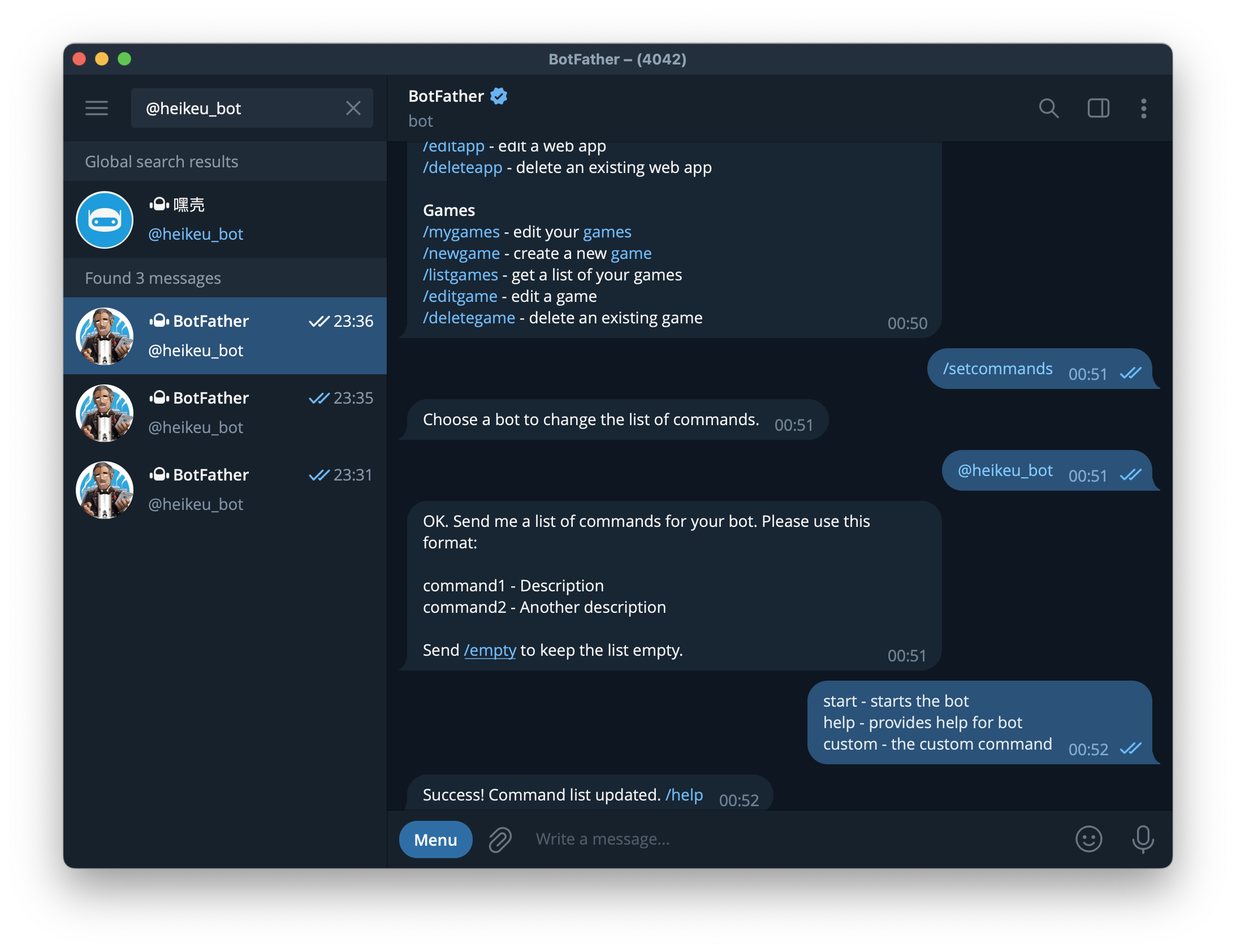
在 botfather 中使用指令 /setcommands 配置我们的 bot 菜单

2. 使用 python telegram 库开发
2.1. 安装 python telegram 库
pip3 install python-telegram-bot
2.2. 使用 python telegram 库
from typing import Final

from telegram import Update
from telegram.ext import Application, CommandHandler, MessageHandler, filters, ContextTypes

TOKEN: Final = '6052882804:AAEfmyN6lThO5RtBlbGyo92Pp4JtKMwoD0A'
BOT_USERNAME: Final = '@heikeu_bot'

# Commands

async def start_command(update: Update, context: ContextTypes.DEFAULT_TYPE):
    await update.message.reply_text('hello, thanks you for chatting me, this is 嘿壳 bot')

async def help_command(update: Update, context: ContextTypes.DEFAULT_TYPE):
    await update.message.reply_text('i am 嘿壳 bot, please type something and i respond')

async def custom_command(update: Update, context: ContextTypes.DEFAULT_TYPE):
    await update.message.reply_text('this is custom command')

# Response

def handle_response(text: str) -> str:
    processd: str = text.lower()

    if processd in ('hello', 'hi'):
        return 'hey there!'

    if 'how are you' in processd:
        return 'fine, thank you.'

    if 'i love python' in processd:
        return 'remember to substribe!'

    return ' i do not understand what you wrote...'


async def handle_message(update: Update, context: ContextTypes.DEFAULT_TYPE):
    message_type: str = update.message.chat.type
    text: str = update.message.text

    print(f'User ({update.message.chat.id}) in {message_type}: "{text}"')

    if message_type == 'group':
        if BOT_USERNAME in text:
            new_text: str = text.replace(BOT_USERNAME, '').strip()
            response: str = handle_response(new_text)
        else:
            return
    else:
        response: str = handle_response(text)

    print('Bot:', response)
    await update.message.reply_text(response)


async def error(update: Update, context: ContextTypes.DEFAULT_TYPE):
    print(f'Update {update} caused error {context.error}')


if __name__ == '__main__':
    print('Starting bot...')
    app = Application.builder().token(TOKEN).build()

    # Commands
    app.add_handler(CommandHandler('start', start_command))
    app.add_handler(CommandHandler('help', help_command))
    app.add_handler(CommandHandler('custom', custom_command))

    # Message
    app.add_handler(MessageHandler(filters.Text, handle_message))

    # Error
    app.add_error_handler(error)

    # Polls the bot
    print('Polling...')
    app.run_polling(poll_interval=3)
3. 免费的服务器托管 python
pythonanywhere 可以免费托管 python 程序,支持 web、cron 以及提供的 mysql 和 postgresql 数据库,这里我们只使用普通的 python 程序即可
首次运行,不要忘记在 bash 环境使用
pip install python-telegram-bot按照依赖库


Reference
版权所有,本作品采用知识共享署名-非商业性使用 3.0 未本地化版本许可协议进行许可。转载请注明出处:https://www.wangjun.dev//2023/06/telegram-bot/